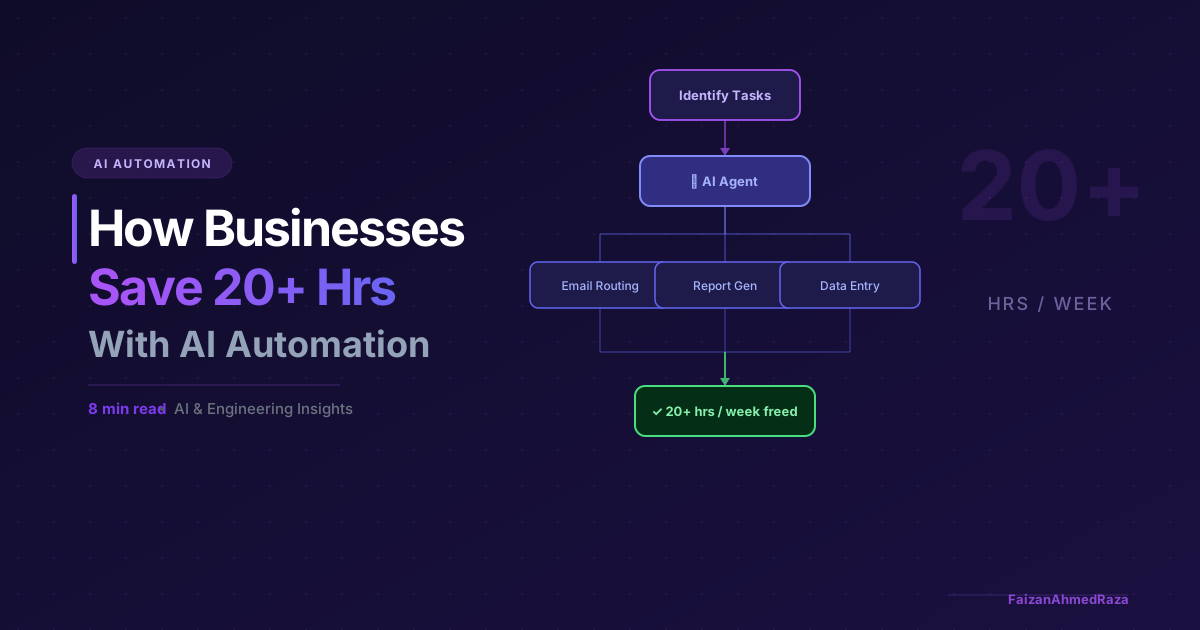
Most businesses waste enormous amounts of time on work that could be automated yesterday. After working on enterprise AI and automation projects in industry and research labs, and watching teams build automations across different organizations, I keep seeing the same patterns repeat. The biggest time sinks are almost always the same — and they're all automatable.
The Real Cost of Manual Work
Before jumping into solutions, let's talk about what manual, repetitive work actually costs.
A 10-person team spending 2 hours per day on copy-paste data tasks is burning 4,000+ hours per year on work that contributes zero strategic value. At an average loaded cost of €60/hour, that's €240,000 annually — spent on something a well-built automation could handle in seconds.
The problem isn't that people are lazy. It's that automation requires upfront technical investment, and most businesses don't know where to start.
The 3-Category Framework
Across the workflows I've built or seen colleagues build, almost every high-ROI automation falls into one of three categories:
1. Data Movement & Transformation
This is the most common one. Someone is manually:
- Copying rows from one spreadsheet to another
- Downloading reports from one tool and uploading to another
- Reformatting data between systems (CRM → ERP → reporting)
What to build: An ETL (Extract, Transform, Load) pipeline that runs on a schedule or trigger. Tools like Apache Airflow, Prefect, or even a simple Python script on a cron job can eliminate this entirely.
2. Document Processing & Information Extraction
Businesses receive hundreds of documents — invoices, contracts, forms, emails — and someone manually reads them to extract key data. This is now trivially automatable with LLMs.
What to build: A document ingestion pipeline that uses an LLM (GPT-4o, Claude) to extract structured data from unstructured documents. Feed the output directly into your CRM or database. A confidence threshold is the key design choice: documents the model is unsure about should go to a person instead of straight into your systems.
3. Communication Routing & Response Generation
Inbound email triage, lead qualification, support ticket categorisation — these are all judgment-based tasks that used to require a human but no longer do.
What to build: A classification and routing pipeline using an LLM fine-tuned or prompted on your specific categories. Route to the right person, auto-draft a response, or resolve entirely — depending on confidence.
How to Identify Your Biggest Wins
Run this audit with your team:
- List all recurring tasks — anything someone does more than once a week
- Estimate time per week — be honest, include context-switching
- Score on two axes: Frequency × Effort
- Filter for rule-based tasks — anything that follows a consistent pattern is automatable
The top 3 tasks on your resulting matrix are where to start.
The Build vs Buy Decision
Before building anything custom, check whether a no-code tool already solves it. Zapier, Make.com, or even native integrations in your existing software might be enough.
Build custom when:
- You need to handle unstructured data (PDFs, emails, images)
- Volume is high enough that per-execution SaaS costs add up
- You need integration with internal systems that don't have public APIs
- You want control and auditability over the logic
What a Real Implementation Looks Like
Here's a simplified version of a lead-email automation pattern I've seen colleagues implement:
Incoming email → webhook trigger
→ LLM extracts: name, company, use case, budget signal
→ Scored against ICP criteria
→ If qualified: auto-creates CRM deal, assigns to sales rep, sends acknowledgement
→ If unqualified: sends polite decline template
Colleagues who built similar setups reported savings on the order of 15 hours per week, with implementation taking a few days. Treat that as an illustration rather than a guarantee; real results depend on your email volume and process.
Which Work Gets Automated First
Think of a knowledge worker's job as a stack of tasks ordered by cognitive demand. The mechanical layer (data entry, formatting, copying between systems, transcription, scheduling) goes first. The analytical layer (research, first drafts, categorising, standard questions) is now being compressed by LLMs. The judgement layer (novel problems, negotiation, ethical calls, relationships) stays with people.
In practice, the functions where this shows up first are:
- Legal and compliance: first-pass clause extraction, comparison and checklist verification.
- Finance and accounting: invoice processing, reconciliation, variance-analysis drafts and anomaly detection.
- Software engineering: test generation, documentation, bug triage and code-review assistance.
- Customer operations: ticket classification and routing, first-response drafts and escalation suggestions.
- Marketing and content: SEO research, first drafts, copy variants and performance-report narration.
Two practical conclusions follow. For individuals, the durable position is understanding the domain well enough to judge AI output, holding the relationships, and knowing how to direct AI tools. For organisations, the better outcome comes from giving each person more leverage, by retraining staff and redesigning workflows around what AI can do, not just cutting headcount.
From My Own Projects
In my enterprise automotive engineering work (Oct 2025 – Mar 2026), I built automated data pipelines that convert vehicle measurement files from MF4 to .npz, preserve test-drive data, and support bus signal analysis, plus a dashboard that gave engineers a 3× faster signal-analysis workflow. At TH Nürnberg's Ohm-AI Lab I built a pipeline that extracts structured fitness data from screenshots at 92% accuracy.
In each case the gain came from automating the mechanical step (conversion, extraction, preparation) so engineers and researchers could spend their time on analysis and decisions.
Getting Started
The biggest mistake teams make is trying to automate too much at once. Pick one process, build it well, measure the time saved, and use that as internal evidence to expand.
If you're not sure where to start, I offer a free 30-minute workflow audit — we'll identify your top automation opportunity together. Book a call and let's figure out where your team is leaking time.